
Your apps stay visible
Choose one app or several. Focal keeps their visible windows uncovered while covering the surrounding desktop.
Choose the apps you need. Focal covers everything around them, so your work has room to hold your attention.
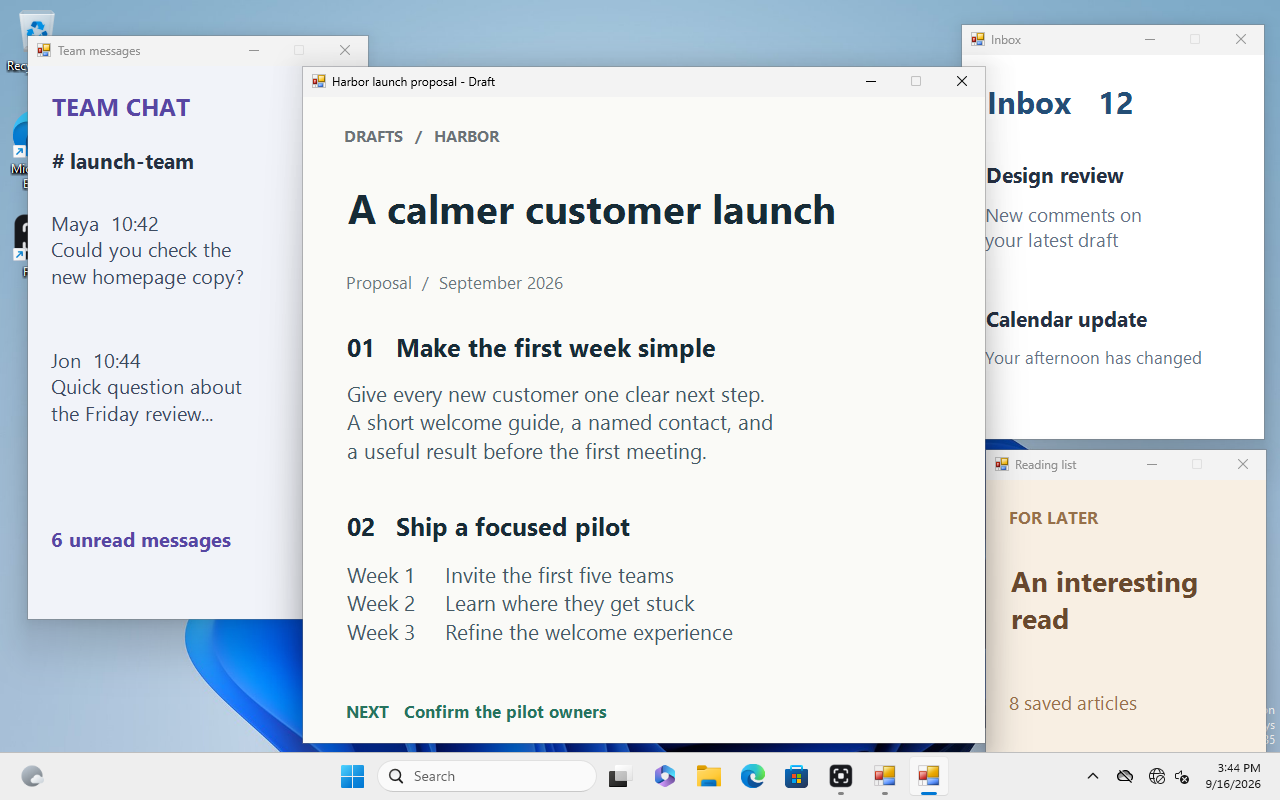
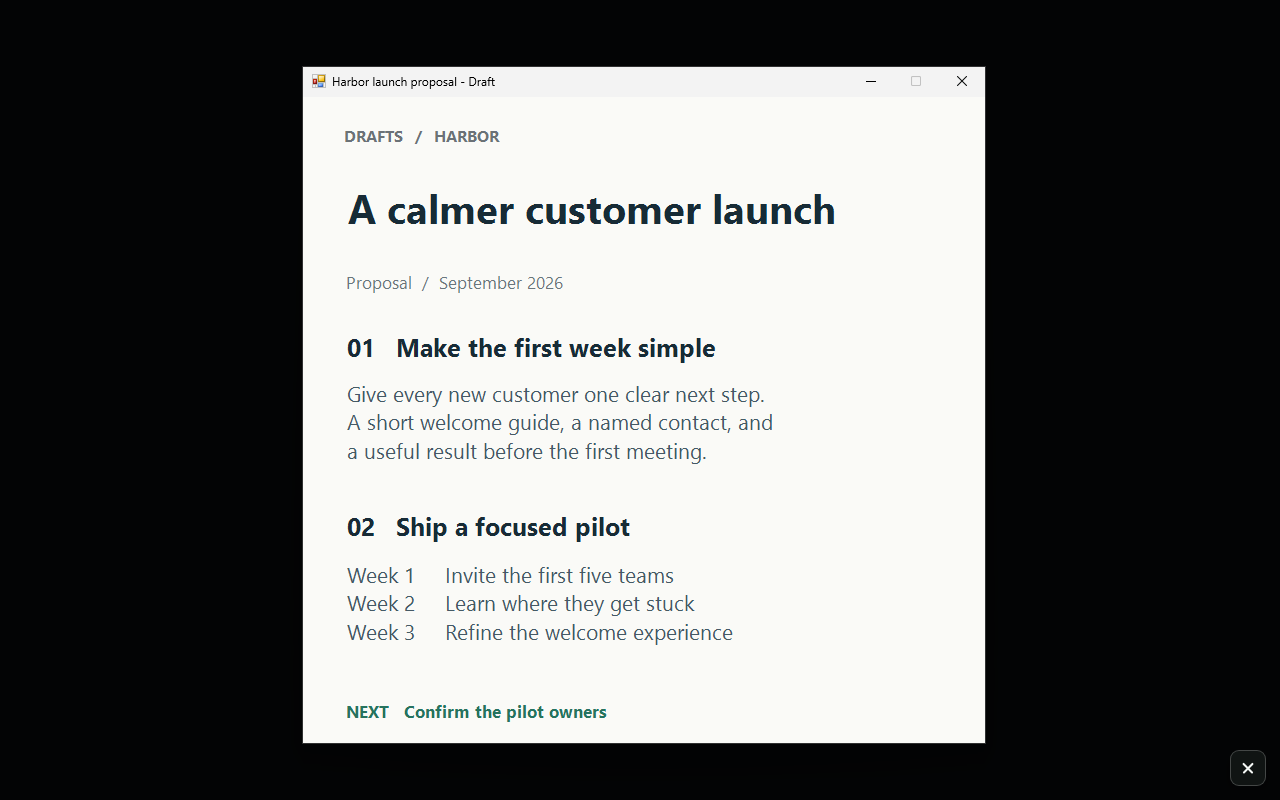
Your work stays.
The rest falls away.
Real Focal captures with fictional work apps. Compare before and after.
Less visual noise. More room to think.
You don't have to close everything to concentrate. Keep a document, a reference, or several work apps visible. Focal covers the surroundings and follows your windows as you move them.
A quieter desktop
Press Ctrl + Alt + F to start or end focus with the default shortcut. Your selected apps remain usable where they already are.
Choose one app or several. Focal keeps their visible windows uncovered while covering the surrounding desktop.
Cover distractions across connected displays. Choose whether to leave the taskbars visible.
Save the apps, cover color, strength, and spacing you want for writing, research, or another routine.
The cover follows your selected windows as they move, resize, or snap. Keep working in your usual apps.
Find your focus setup
See when Windows Focus is enough, and when Focal can help keep selected apps visible.
3-day full trial · permanent license
Download Focal and try every feature for three days from first run. No card or account required. After the trial, a paid license is required to start focus mode.
Windows 10 & 11 · 64-bit · v0.2.13 · No subscription
Before you install
Focal removes its covers if it cannot safely maintain focus mode. You can always use its emergency shortcut to leave.
Focus mode pauses until you activate a permanent $7.99 license. The trial starts on first run and includes every feature. No card or account is needed to try it.
Press Ctrl+Alt+Shift+F to end focus and open Focal, or use the small X at the bottom-right of your primary screen. The fixed emergency shortcut stays available even when you customize your other shortcuts.
No. Focal covers visual distractions around the apps you select. It is an attention aid, not a privacy screen, access-control tool, or website blocker. Secure system prompts and exclusive full-screen apps are outside its control.
Profiles, app selections, shortcuts, and appearance settings stay on your computer. Buying a license uses Stripe checkout and the Synapse Tools license service; the app checks the imported license locally.
Focal runs on Windows 10 and Windows 11, on 64-bit PCs. Try it with your own apps and monitor arrangement before buying.
Make the desktop yours
Pair Focal with Snappy for window placement or Switcher for finding an open window. Each app is sold separately.