
Small tools. A better working day.
Less friction.
More flow.
Arrange your windows. Cover distractions.
Find the app you need. See what a calmer desktop feels like.
$7.99 once, per app. 3-day full trial. No card required.
01 / Arrange with Snappy
A place for
every window.
Keep your document, notes, and the numbers in view. A short throw gesture snaps a window into a half, third, or corner—with a preview before you let go.
02 / Focus with Focal
Your work.
Nothing around it.
Keep the apps you need visible. Cover the desktop and surrounding distractions, across your monitors.
Try the before-and-after. Same windows. A quieter space.
3 days free · $7.99 once
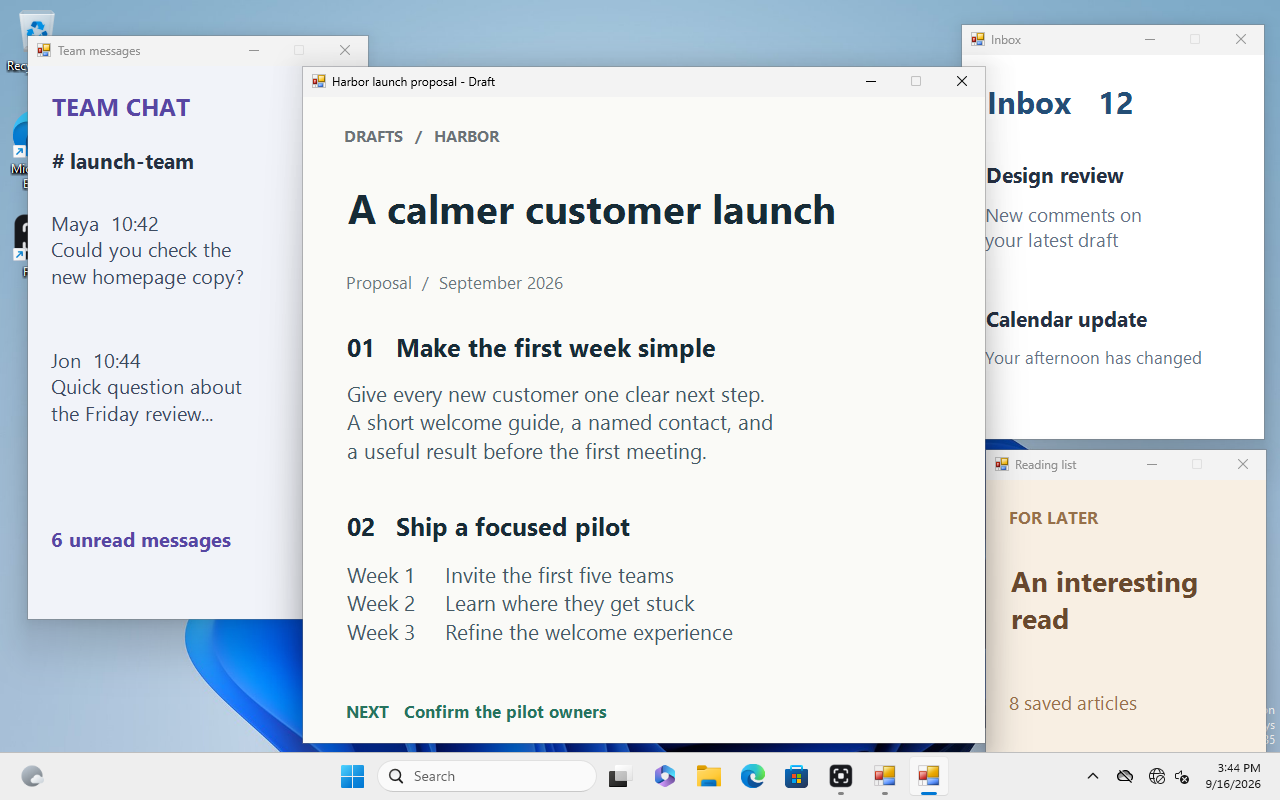
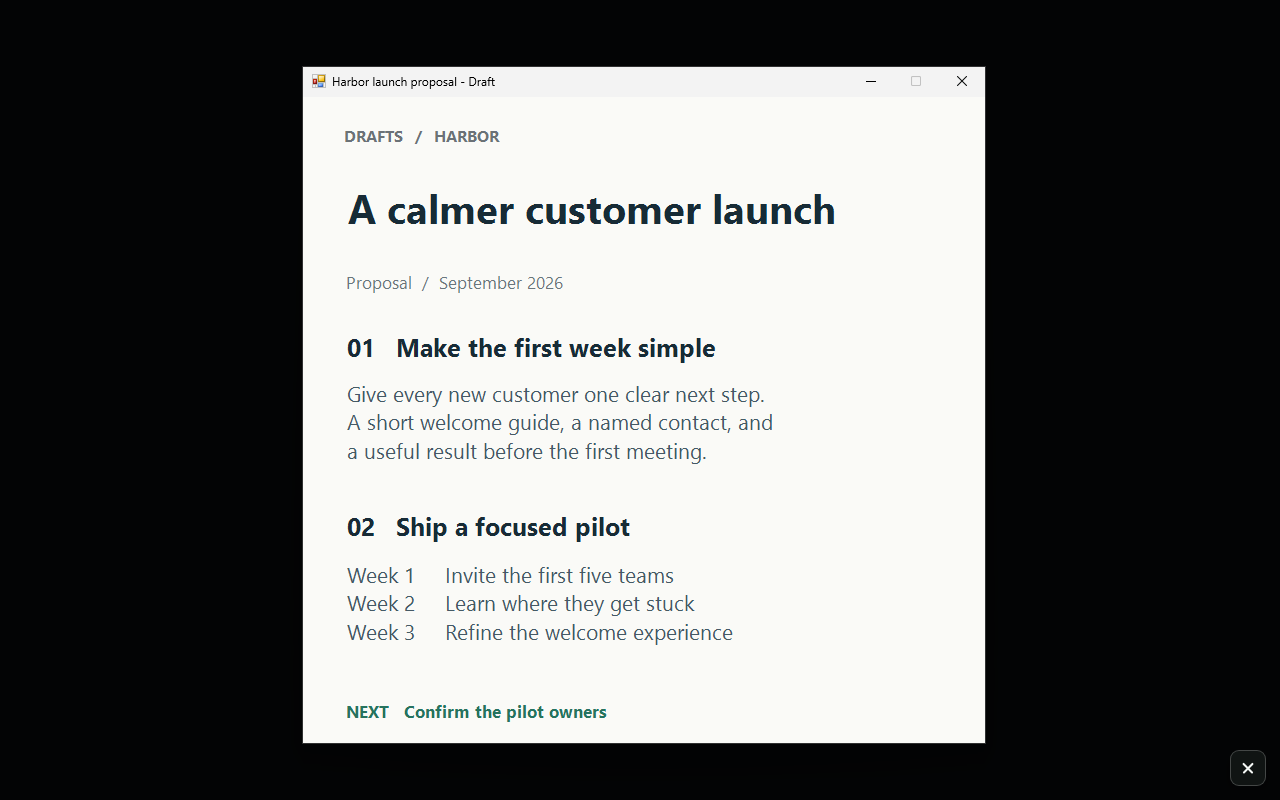
Your work stays.
The rest falls away.
Real Focal captures with fictional work apps. Compare before and after.
03 / Find it with Switcher
You know the window.
Go straight to it.
Press Alt + Space, type an app or window title, and jump right in. Get back to the exact conversation, document, or tool you meant.
3 days free · $7.99 once
Keep the tools that earn their place.
Try it in your real day.
- 01
Download. Start working.
Three days of every feature, starting on first run.
- 02
Decide after you use it.
No card or account needed for the trial. No automatic charge.
- 03
Keep it for $7.99.
A one-time license for each app. Import your license and carry on.
Also from Synapse Tools · Free for Chrome
Keep the source.
Move the idea.
Your prompts, YouTube context, and next AI step—in one connected browser workflow.
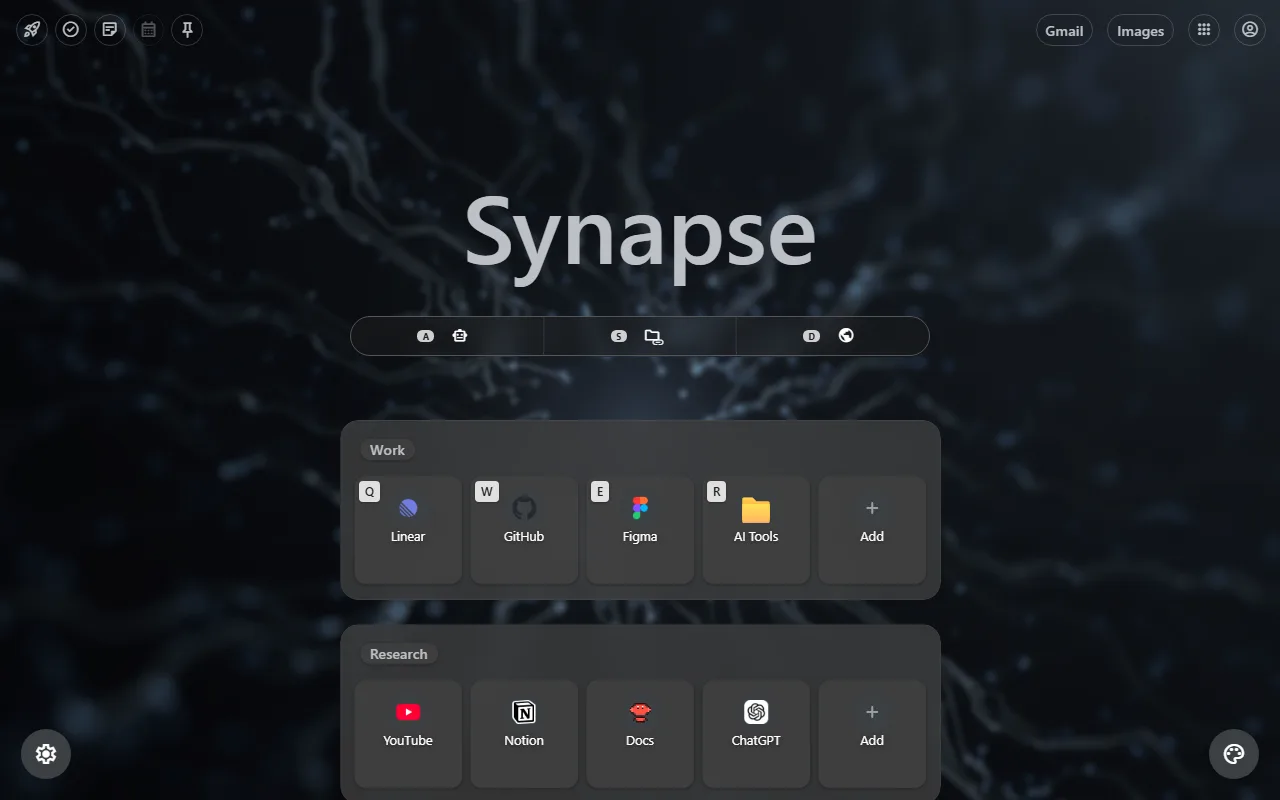 Explore the workflow ↗