Live in Chrome · v1.1.1

One browser workspace for capture, transformation, and reuse.

Synapse combines a customizable New Tab, a live sidebar, reusable prompts, quick launch, and page-context tools so the work can stay in one visible operating surface instead of getting scattered across tabs.

One workspace across New Tab and live pages Context stays visible while you work Local-first workspace data where possible
Synapse workspace showing split search, widgets, launch tiles, and sidebar tooling together on the New Tab page.

Why trust it

Install happens through the Chrome Web Store, and the public privacy, security, and support pages are already live.

Why it feels coherent

The New Tab, sidebar, prompts, saved links, and page-context actions all support one job: keep the workflow together while you browse.

Where it earns its place

Research-heavy work where you need source context, reusable tools, and the next step to stay close to each other.

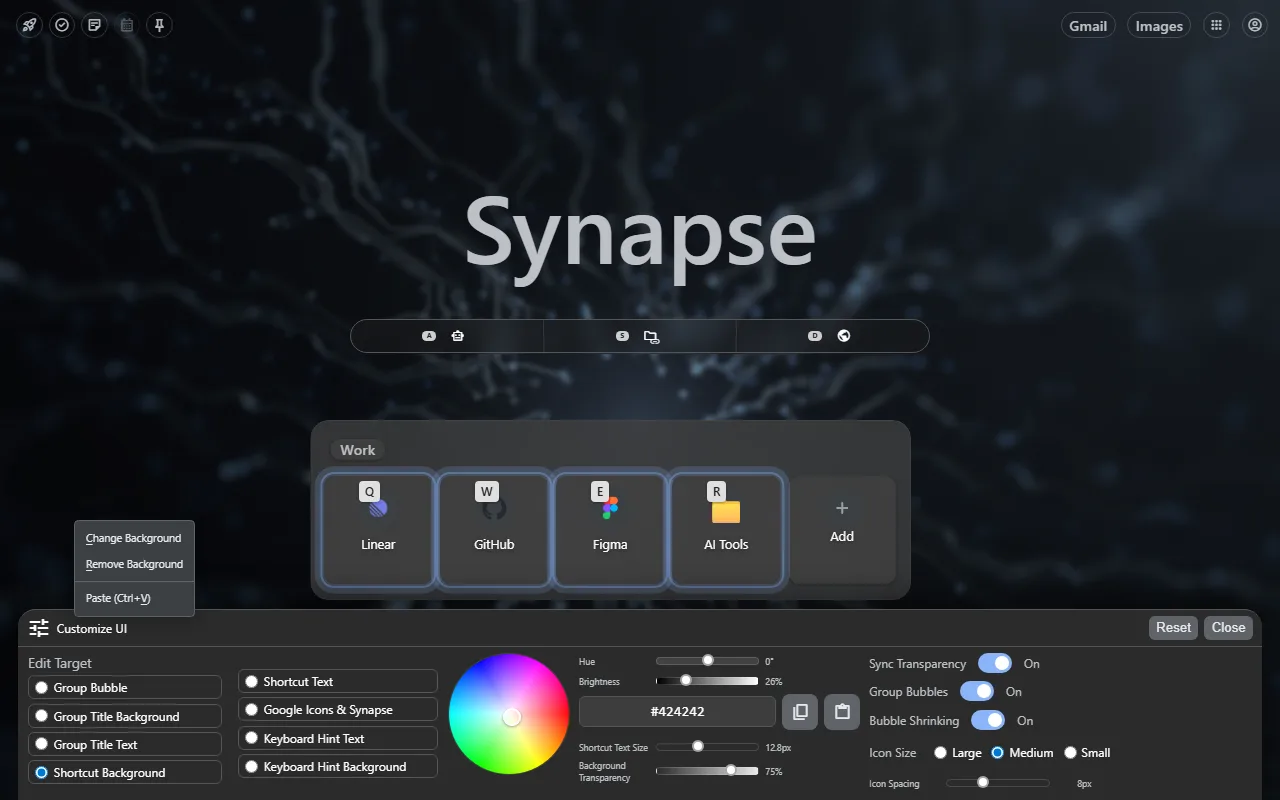
Synapse customizable New Tab workspace with context menu and controls visible.

Shape the workspace around the way you already browse.

The New Tab surface is the workspace home. It is where shortcuts, search modes, widgets, saved links, and prompt access get arranged into something you can keep using every day.

  • Right-click the background to open the real customization path.
  • Adjust layout and styling without losing launch speed.
  • Keep your workspace personal without turning it into clutter.
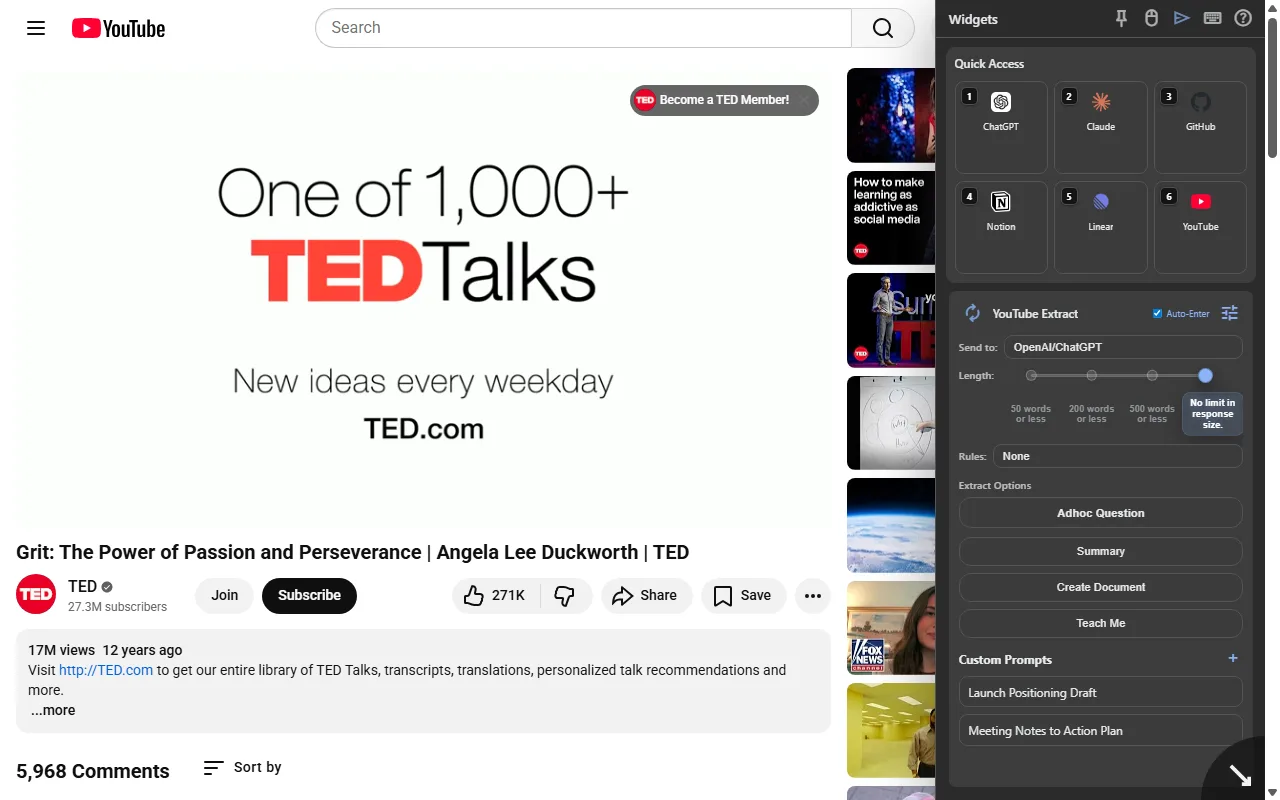
Synapse YouTube Extract running on a live video page.

Keep the same workspace beside live pages.

Synapse is strongest when the browser workspace stays attached to the page that matters. The sidebar keeps prompts, launch tools, and page-context actions beside the source, so transformation can happen without breaking the thread. YouTube Extract is one example of that broader page-context workflow.

  • Transform page or video context into reusable output.
  • Stay inside the live source instead of copying pieces into another tool.
  • Preserve context while moving straight toward the next step.

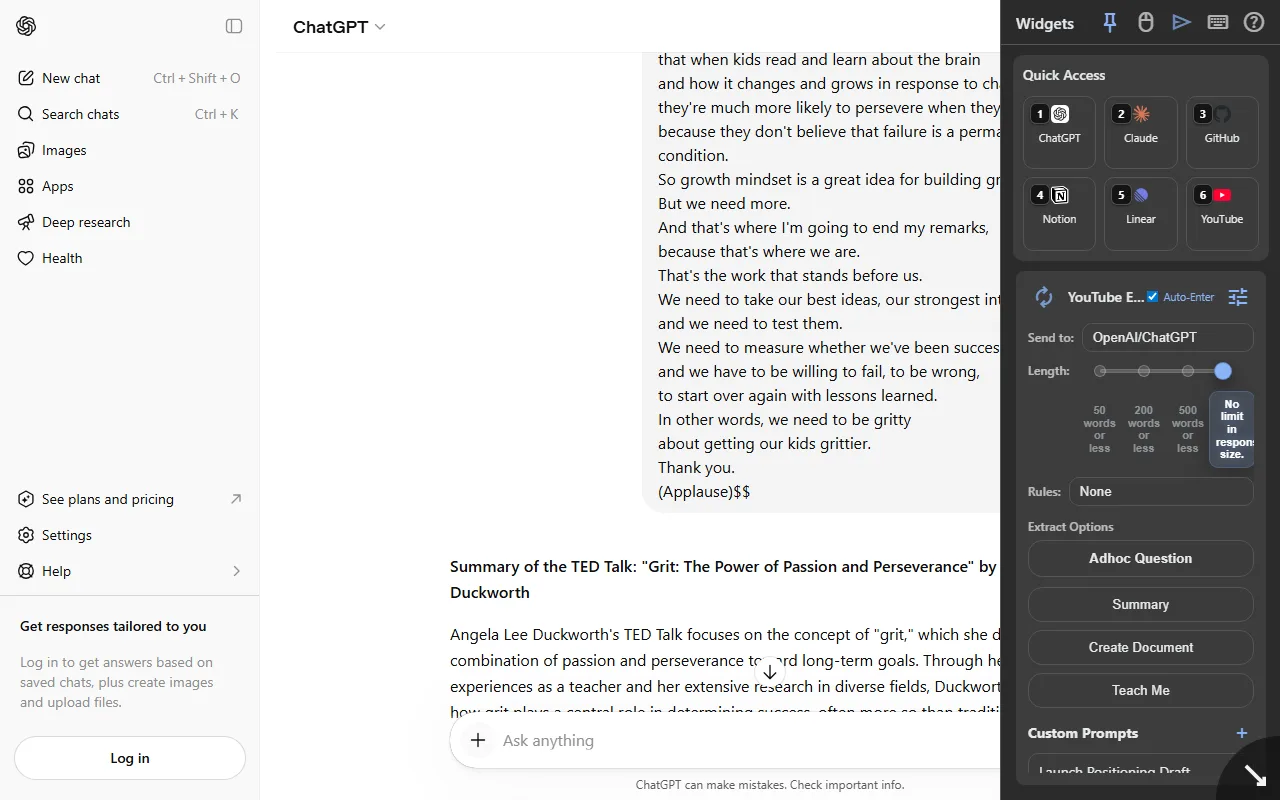
Turn live page context into reusable output, then move immediately to the next step.

Once the useful signal has been captured, Synapse keeps the handoff short. The goal is not a disconnected demo moment. It is faster movement from source material into the next action.

Synapse summary moved into AI chat for follow-up synthesis.
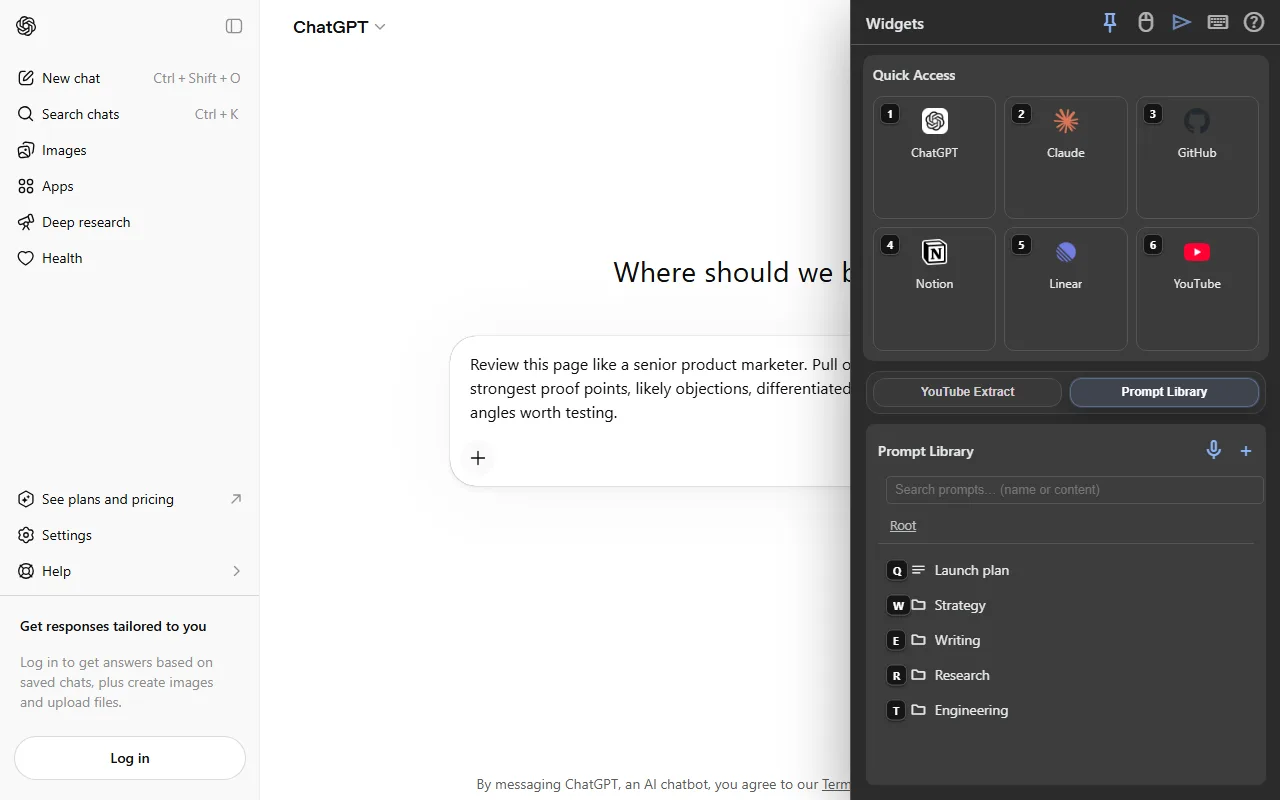
Synapse prompt workflow showing reusable prompts and fast launch surfaces.

Keep prompts, launch paths, and saved tools close enough to reuse for real work.

Quick Access and Prompt Library matter because they reduce repeat setup. This is the reuse layer that makes the workspace useful beyond the first session.

People doing research-heavy browser work every day.

If you constantly move between articles, videos, saved destinations, prompts, and AI follow-up, Synapse reduces the cost of switching modes.

People who just want a blank New Tab or one tiny utility.

Synapse is strongest when you want one operating surface for browsing workflows, not when you are trying to keep the browser almost untouched.

Workspace data stays local where possible.

Provider-connected behavior matters only when the user chooses it. Privacy, security, and support are all documented publicly.

Install Synapse and keep the workflow in one workspace.

Synapse is strongest when capture, transformation, reuse, and the next move stay connected instead of getting split across separate tools.